
Affamade   /   AI Mastery Challenge

Be an AI Expert
in Just 30 Days.

Learn to give AI a clear brief, build assistants that write in your voice and turn ideas into images, videos and websites. Follow ten recorded sessions with Chahat Mehta and practise those skills over 30 days.

Chahat Mehta teaching with a microphoneChahat Mehta · Instructor
Try a lesson · Prompt engineering

Give the model a useful brief.

Try this prompt: “Write three opening lines for a headphone demo aimed at people who share a desk. Keep each under twelve words.”

10Recorded sessions
05Specialist AI agents
02Local business projects
30Days of practice
Find your starting point

What do you want to build first?

Choose a goal to see which assignment to try.

Recordings 4–5 · Product creative

Turn a buyer insight into an ad.

Define your buyer, choose a problem or lifestyle angle, then turn two or three reference images into a short UGC-style product video.

See the assignment ↓
What you will build

The AI skills you’ll put to work.

Use a familiar product as your practice subject. Work on the same brief across writing, creative production and web design so you can see where each tool helps.

Research & writing
Research & writing

A reusable AI workspace

Set up a Claude Project with your writing samples and instructions. Give five custom GPTs distinct jobs across research, scripts and sales copy.

Creative production
Creative production

A product creative library

Use one buyer profile to produce four image concepts, a UGC-style product video and the hooks, captions and messages that accompany them.
Web & paid media
Web & paid media

A working funnel and ad plan

Publish a landing page, connect a Meta Pixel and structure a draft campaign with five ad sets. Keep the creative, copy and destination together for review.

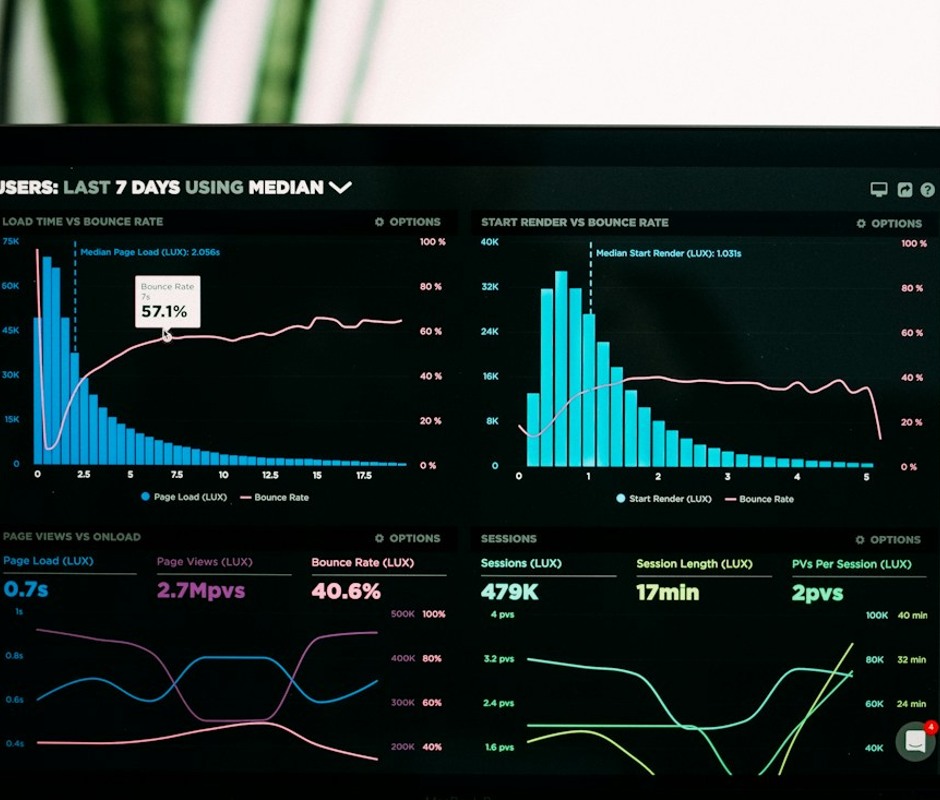
Headphones used to illustrate a sample product campaign
Worked example · Headphones
Inside a practical

One product.
Four decisions.

Suppose you choose headphones for people who work at a shared desk. Here is how the same customer insight travels through the funnel.

01   Define the buyerInterview prompt: “What interrupts your focus most often?” Use the answers to build the customer profile.
02   Write the opening sceneShow a designer restarting the same task after an interruption. Open the reel with “How many times have you started this email?”
03   Build the destinationRepeat the desk scenario on the landing page. Show a product demo and give the visitor one clear purchase action.
04   Plan the testCompare a problem-led video with a product-led image. Check which earns clicks and which leads to the desired action on the page.
The complete curriculum

Your 30-day AI learning plan.

Use this suggested pace for the ten recordings. Watch each lesson, build its assignment, then use the remaining practice days to test and revise your work.

Days 1–7

Prompting & AI systems

Recording 01

LLM fundamentals & prompt engineering

A better brief starts with a clear task, audience and output. Learn how large language models generate responses and where your own judgment enters the workflow.

  • Explore how ChatGPT, Claude and Gemini respond to the same request.
  • Practise the R-C-T-F framework, conversational prompting and few-shot prompting.
  • Study niche prompt packs on Gumroad, Payhip, PromptBase and Etsy. Compare the promised outcome, pricing and positioning.
Studio assignmentWrite three R-C-T-F prompts for one niche. Save the brief and output together so you can judge whether each prompt delivers the result a buyer would expect.
Recording 02

Build your AI second brain

Give Claude a set of references it can reuse across briefs, so you spend less time explaining your product and writing style.

  • Move from asking individual questions to directing a sequence of tasks. Cover chain-of-thought prompting, iterative revisions and persona testing.
  • Use a devil’s advocate persona to challenge an idea or identify an unsupported claim in your copy.
  • Set up a Claude Project with custom instructions, knowledge files and examples of your voice.
Studio assignmentTest the project with three prompts. Compare its outputs with your writing samples and share your best result in the course WhatsApp group.
Recording 03

Assemble a five-agent content team

Divide the work of an affiliate campaign among specialist assistants and learn the six elements of a well-defined Custom GPT.

  • Use Product Hunter to research an offer and Reels Script Writer to draft the first video.
  • Use Hook & Caption Lab to generate alternative openings and captions.
  • Give Bridge Page Copywriter and Email & WhatsApp Writer the same product brief so the messages stay consistent.
Studio assignmentFinish your second brain, build all five agents and run one product through the team. Collect a reel script, hooks, captions, a bridge page, an email sequence and WhatsApp copy.
Days 8–15

Content & creative production

Recording 04

Research the buyer and design ad images

Use an ideal customer profile (ICP) to decide what your ad should show. A demographic tells you who someone is. A buying motivation tells you which moment to illustrate.

  • Map demographics alongside motivations, concerns and the change your buyer wants.
  • Develop four visual directions: problem, transformation, lifestyle and product highlight.
  • Use ChatGPT to generate product-specific images and check whether each communicates the intended message.
Studio assignmentChoose an affiliate product, write its ICP and generate an image for each creative direction. Share the strongest images with the group.
Recording 05

Produce a UGC-style video ad

Translate a customer experience into a short product demonstration. Study how framing, dialogue and a recognisable situation shape a user-generated-content style ad.

  • Build a scene prompt in ChatGPT or Gemini with an opening hook, product action and closing shot.
  • Generate reference images that keep the product and setting coherent.
  • Use Google Flow or Google Vids to turn prompts and images into a short-form video.
Studio assignmentCreate one UGC video prompt, two or three reference images and one short video. Share the cut that explains the product most clearly.
Recording 06

Create an AI avatar and a niche social page

Design a repeatable identity for an Instagram or Shorts page, including a way to publish consistently without appearing on camera.

  • Create an AI avatar and define the visual details that should stay consistent.
  • Study how niche theme pages use a recognisable format and short-form hooks.
  • Plan a repeatable content style and batch ideas around the audience you want to reach.
Studio assignmentChoose a niche and deliver a page name, bio, profile concept, content style and at least three post ideas. Share the concept with the group.
Days 16–22

Websites & client services

Recording 07

Build and pitch a local business website

Practise selling a concrete service by finding a business on Google, identifying a problem on its website and building a page the owner can review.

  • Structure a simple business website around the visitor’s next action.
  • Connect the landing page to GitHub and deploy it with Netlify.
  • Use a specific observation about the business to position the service and write the first outreach message.
Studio assignmentPublish a landing page for one local business. Save the live URL and draft a short message to the owner explaining the problem your page addresses. Share the page with the group.
Recording 08

Add AI chat and voice support

Explore how a website can answer questions, qualify enquiries and help visitors book appointments. Look for repeated support requests where automation could save staff time.

  • Map common website questions to a chat experience and explore how to integrate it.
  • Plan real-time voice support for visitors who prefer to speak.
  • Decide which lead details to collect and where the conversation should hand off to booking or a person.
Studio assignmentAudit a local business website. Write a proposal covering its current problem, your recommended chat or voice solution and the expected benefit. Share the proposal with the group.
Days 23–30

Paid traffic & funnel assembly

Recording 10

Build your first Meta Ads campaign

Connect paid traffic to the landing page. Compare organic and paid distribution and decide where a reel, story or feed ad fits the buyer’s journey.

  • Apply the course’s 70/20/10 exercise to creative, copy and targeting. Build each ad around a hook, visual and call to action.
  • Choose an audience, placements and a test budget across Instagram and Facebook.
  • Read click-through rate (CTR), cost per click (CPC) and conversion rate (CVR) to understand different stages of performance.
Studio assignmentPrepare one Meta campaign with a video and an image, set the test budget and connect the destination page. Share a campaign screenshot or preview link.
Recording 11

Connect the Pixel and assemble the final funnel

Bring the pieces into a single reviewable campaign. Revisit campaign structure, creative testing, audience selection and budget planning.

  • Create a Meta Pixel and connect it to the product landing page.
  • Build campaign C1 with five ad sets. Place two video ads and one image ad in each set.
  • Review the product, ICP, destination, tracking, ad copy and campaign structure together before considering a launch.
Studio assignmentSubmit your product name, ICP, page URL, Pixel setup screenshot, two video ads, one image ad, ad copy and a campaign structure screenshot. Keep the final campaign in draft.
The final project

Walk through your funnel as a buyer.

Pick one of your ads, read it from the customer’s perspective and follow the link. Does the landing page deliver what the ad promises? Can you explain which visitor action you want to measure? Use the final build to answer those questions with your own work.
Your submission checklist

Product name and a written ideal customer profile
Landing page URL and a Meta Pixel setup screenshot
Two video ads, one image ad and the accompanying copy
One C1 campaign with five ad sets and three ads in each
Campaign structure screenshot for review
Chahat Mehta at an industry event
Chahat Mehta · Affamade
Learning with Chahat Mehta

Watch a session.
Build the assignment.

Use the recordings alongside your own workspace. Pause after a demonstration, try it with your product and save what you made. By the final session, you can trace a single idea from the original prompt to the ad and its destination.

For the local-business sessions, switch perspectives. Choose a business owner, inspect the customer journey and show how a landing page or support assistant could improve it.

Who this course is for

Choose a starting point.

You can follow the assignments with your own offer, an affiliate product or a practice product. The deliverables stay concrete whichever route you take.

Affiliate marketers

Build your product brief, bridge page, follow-up messages and campaign around one offer.


Creators

Use the avatar, niche-page and video sessions to create a recognisable content style and a repeatable production routine.


Service providers

Turn a website audit into a live page, a tailored outreach message and a proposal for chat or voice support.

Before you enroll

Course questions.

How do the 30 days work?

The 30 days are a suggested study and practice schedule. Spread ten recorded sessions across four stages, using the time between recordings to build, test and refine each assignment.

Where do I start if I am new to AI?

Start with Day 1. It introduces LLMs and gives you three ways to brief a model before you move on to custom assistants.

Do I need a product of my own?

An affiliate product works throughout the course. For the final exercise, the brief also allows an Amazon product or a Facebook Page for practice.

Which tools appear in the sessions?

The lessons cover ChatGPT, Claude Projects, Gemini, Google Flow, Google Vids, GitHub, Netlify and Meta Ads Manager. The tools you use will depend on the assignment.

Will I have to spend money on ads to finish?

The final assignment asks for a draft campaign and a screenshot of its structure. You can complete that assignment before publishing ads.

What does enrollment cover?

The course brings together ten recorded sessions and their practical assignments, from your first niche prompts to your final Pixel-connected marketing funnel.

Affamade · Course enrollment

Start your 30-day
AI Mastery Challenge.

Practise with Chahat Mehta’s ten recorded lessons. Finish with a personal AI workspace, a creative portfolio and a working marketing funnel.

AI Mastery Challenge
₹1,19,999

Full course enrollment

Continue to checkout ↗